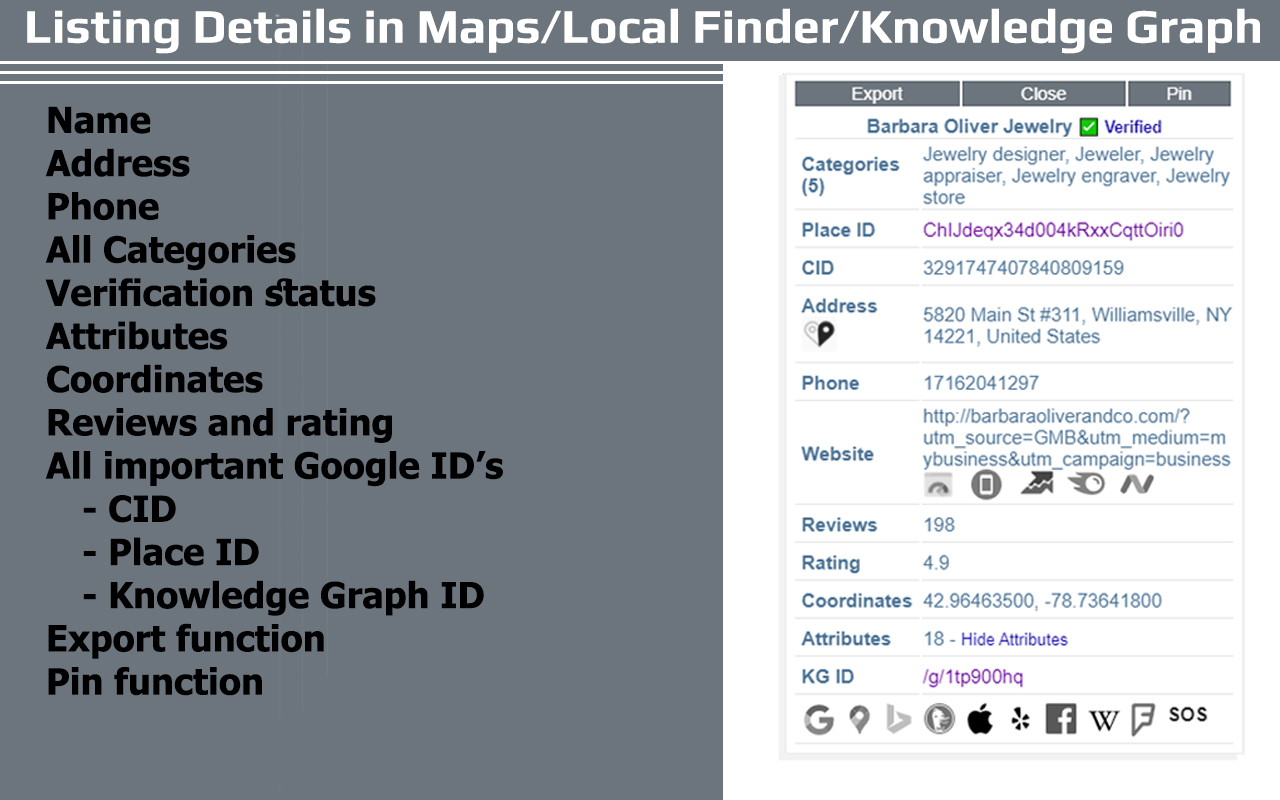
Competitor analysis for Google Business Profiles: PlePer allows users to “spy” on competitor GBP listings, providing insights into their categories, reviews, posts, and images. It helps you understand competitors’ local search strategies and optimize your own listing accordingly.
GMB category research: The tool helps identify relevant Google Business Profile categories for a business, which can significantly influence local search rankings. It shows category lists by country and reveals categories used by competitors.
Review analysis: PlePer allows you to analyze competitors’ review profiles, including the number of reviews, average ratings, and review content. This helps understand competitor strategies and potentially improve your own review strategy.
Local SEO insights: The tool provides information on average business hours, attributes used by competitors, and even potential duplicate listings.
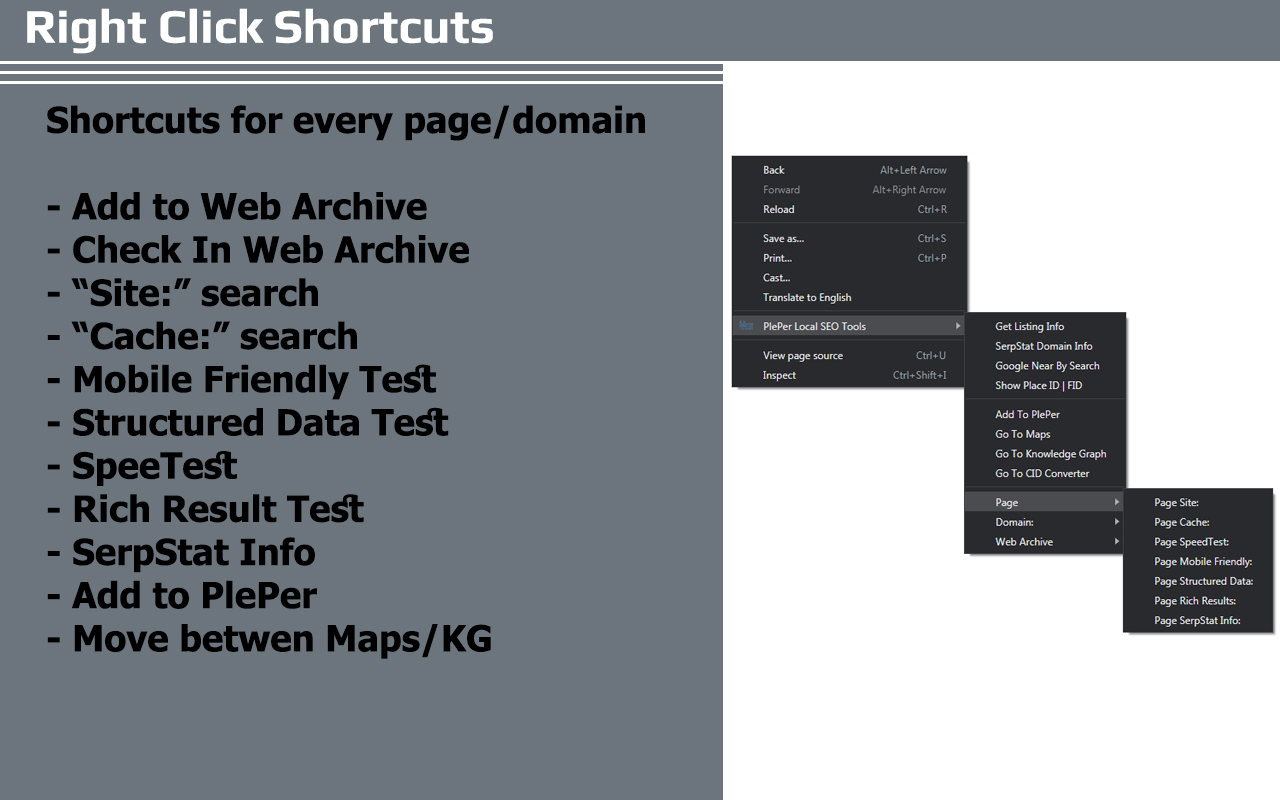
Useful shortcuts: PlePer offers shortcuts to quickly access other relevant tools like Google Maps, PageSpeed Insights, and website tests.
Free and Pro versions: A free version is available with some features, and a Pro version offers additional functionality.
Good user rating: The Chrome extension has a 4.8 out of 5-star rating based on 19 ratings, according to the Chrome Web Store.
Cons
Limited scope: PlePer primarily focuses on Google Business Profile analysis and local SEO, so it may not be sufficient for comprehensive SEO needs beyond local search optimization.
User-reported issues: Some users have reported issues with the extension not working as expected, like not showing pop-up windows with listing details.
Potential for data accuracy issues: While generally reliable, the data provided by PlePer relies on publicly available information and may not always be completely accurate or up-to-date.
User feedback on diminishing usefulness: Some users have expressed concerns about the diminishing usefulness of the tool, noting that they don’t find themselves using it for as much as they used to.